
Linux Administration: A Beginner's Guide by Wale Soyinka is a hands-on manual for IT staffers who must dance with Windows and Linux. It is a practical guide for network admins who deploy and maintain Linux and other free and open source software (FOSS).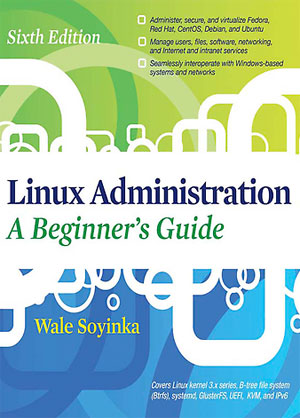
In this Sixth Edition opus, Soyinka provides an extensive update on the latest Linux distros. His book is an essential guide for admins handling Fedora, Red Hat Enterprise Linux, CentOS, Debian, and Ubuntu. Offering how-to dogma on any one of these distros is a major challenge. Putting all of them in one volume crams serious guidelines and admin tidbits into nearly 700 pages.
Soyinka is no stranger to charting a clear path through technical log jams for IT workers to follow. He has written a library of Linux administration training materials. The author spends his time evangelizing about open source while serving as both a system and a network administrator. When he is not fully embroiled with those duties, Soyinka also serves as a hacker and Linux entrepreneur.
The title of his February release may be a bit of a misnomer. It is much more than a beginner's guide. It could very well be the definitive go-to reference source for seasoned Linux admins as well. The author covers essential topics on installing and customizing Linux, working with both the command line interface (CLI) and graphical user interface (GUI) structures, and configuring both Internet and intranet services.
Perhaps the most useful instruction, however, is Soyinka's treatment of interoperating Linux with Windows systems. He spices his explanations with real-world examples that help readers put the techniques he details into practice. This results in a technical manual that reads with a lot more flavor than you would expect from textbook-level instruction.
No-No Newbies
Linux Administration: A Beginner's Guide is a straightforward how-to book. Its focus is on making Linux management a skill set that is made simple. However, readers new to the Linux world still require some hands-on experience in IT. Even Soyinka cautions that his book does have a prerequisite.
He assumes that readers are already familiar with Microsoft Windows servers from at least a power-user perspective. "We assume that you are familiar with the terms (and some concepts) necessary to run a small-to-medium-sized Windows network," he cautions in his introduction.
Readers with experience managing bigger networks or advanced Windows technologies will get more benefit from the book, Soyinka adds. So if you are looking for a "Linux Admin Guide for Dummies," look elsewhere, he suggests.
Linux Layout
A Beginner's Guide is a hefty work crafted into six sections. Each section guides readers through a logical and clear presentation of how and why related to all things Linux.
The author's organization plan, like Linux itself, just works. For instance, Soyinka starts with six chapters that focus on An Introduction, Installation, and Software Management. In Part II, he tackles Single-Host Administration through seven chapters. It takes five long chapters to cover Networking and Security in Linux.
Soyinka spends the remainder of the book focusing on Internet and Intranet services. In two well-written sections, he details how the similarity between these two services ends with the spelling.
More experienced Linux admins might well find Soyinka's final section the most helpful. It is in this two-part appendix that the author presents some very useful tidbits. For example, he writes at length about methods for creating a Linux installer on removable media. He also spends a good amount of time discussing OpenSUSE installation.
Quick Find Design
Part of this book's organizational plan is to provide effective references. This is not a book intended for leisurely reading about Linux. Soyinka makes it easy to find precise details without spending a fortune in time poring through pages.
You can find what you need quickly by referring to the contents guide at the front of the book. Each topic within a section corresponds to a specific page number. This makes it easy to locate topics when you do not know the exact item.
The detailed index at the back of the book allows you to jump directly to specific content without needing to read entire sections. This term's catalog pinpoints precise information.















 Loading ...